The Challenge
Before any wireframes, I spent 3 weeks with the support team at ControleNaMao — the platform’s pilot client. I identified an operational design problem: existing tools did not reflect how support work actually happens.
Every design decision in NoBotz AI was grounded in this research. The information architecture, handoff flow, and priority system all derive from friction points observed in the field, not assumptions about how the product should work.
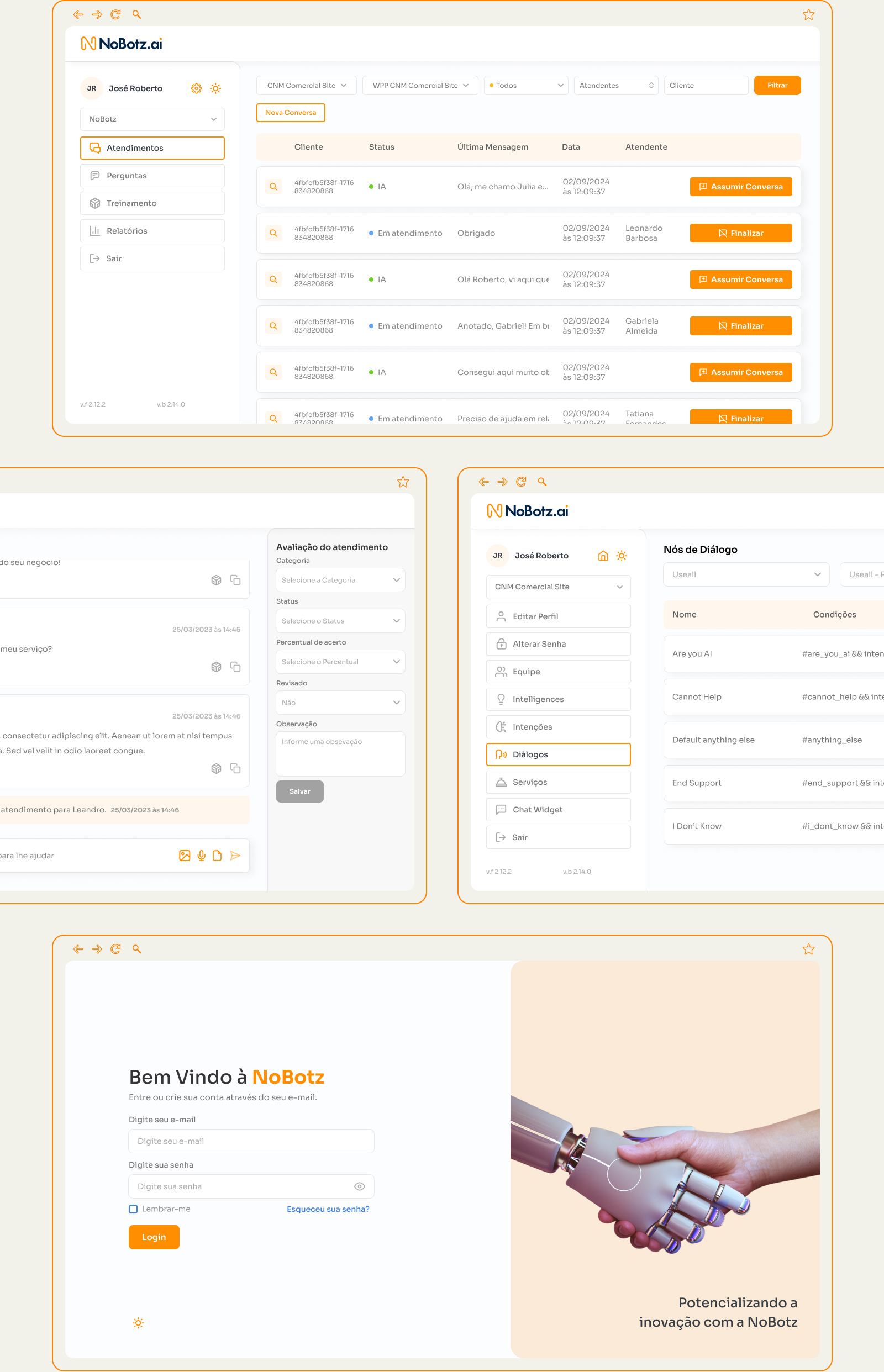
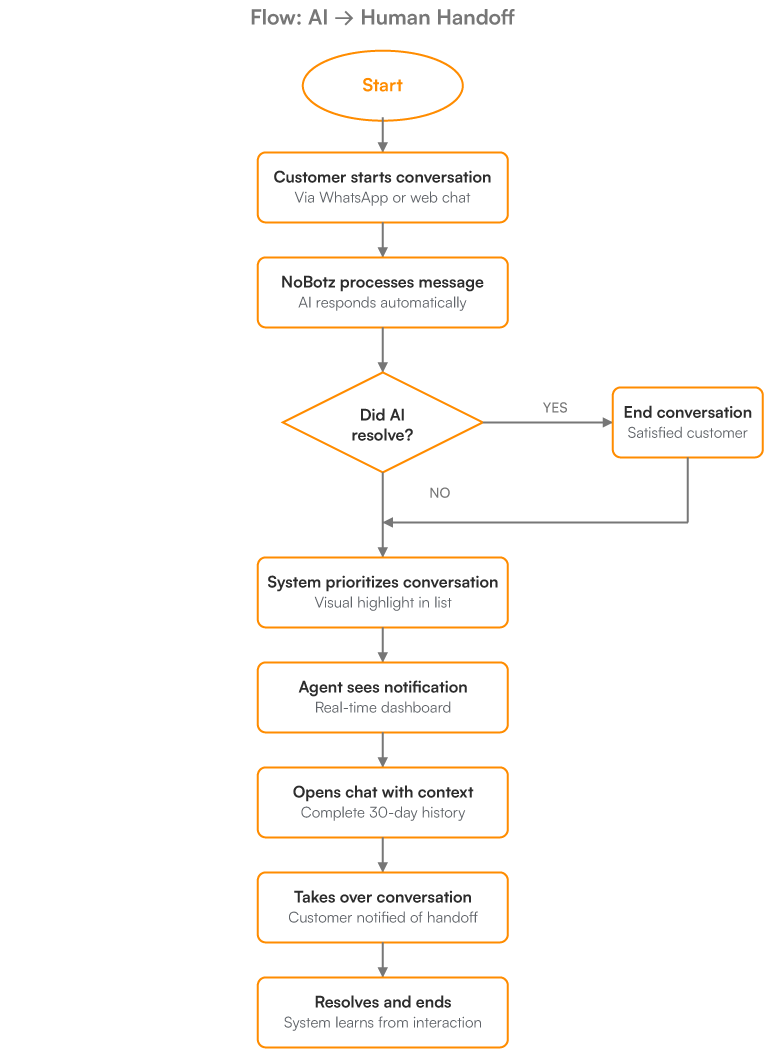
Architecture & Flows – designed around real workflows. The platform architecture was defined by the three user roles identified in the research (agent, manager, and AI training owner), with a central hub (Conversations) serving as the entry point for all.

UX and UI Decisions
Each design decision was validated against research findings. When a friction point was observed in the field, there was a corresponding design decision.
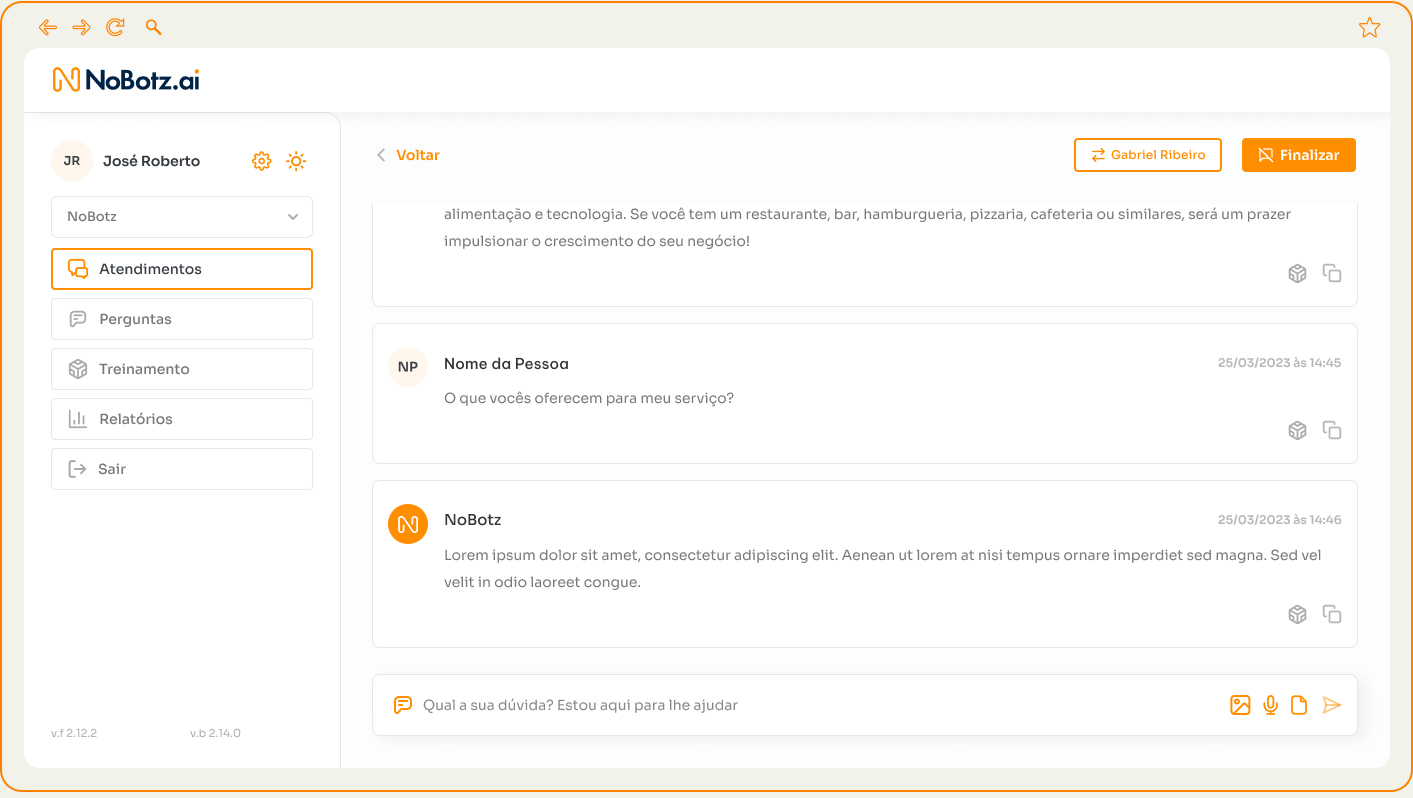
UX – AI summary + 30-day history before handoff: when opening a conversation for a potential handoff, the agent sees a side panel with three blocks: an AI-generated summary of what has been discussed, a 30-day interaction history (collapsed by date), and the reason the conversation was flagged. The decision to take over or not happens with full context, without reading the chat line by line.
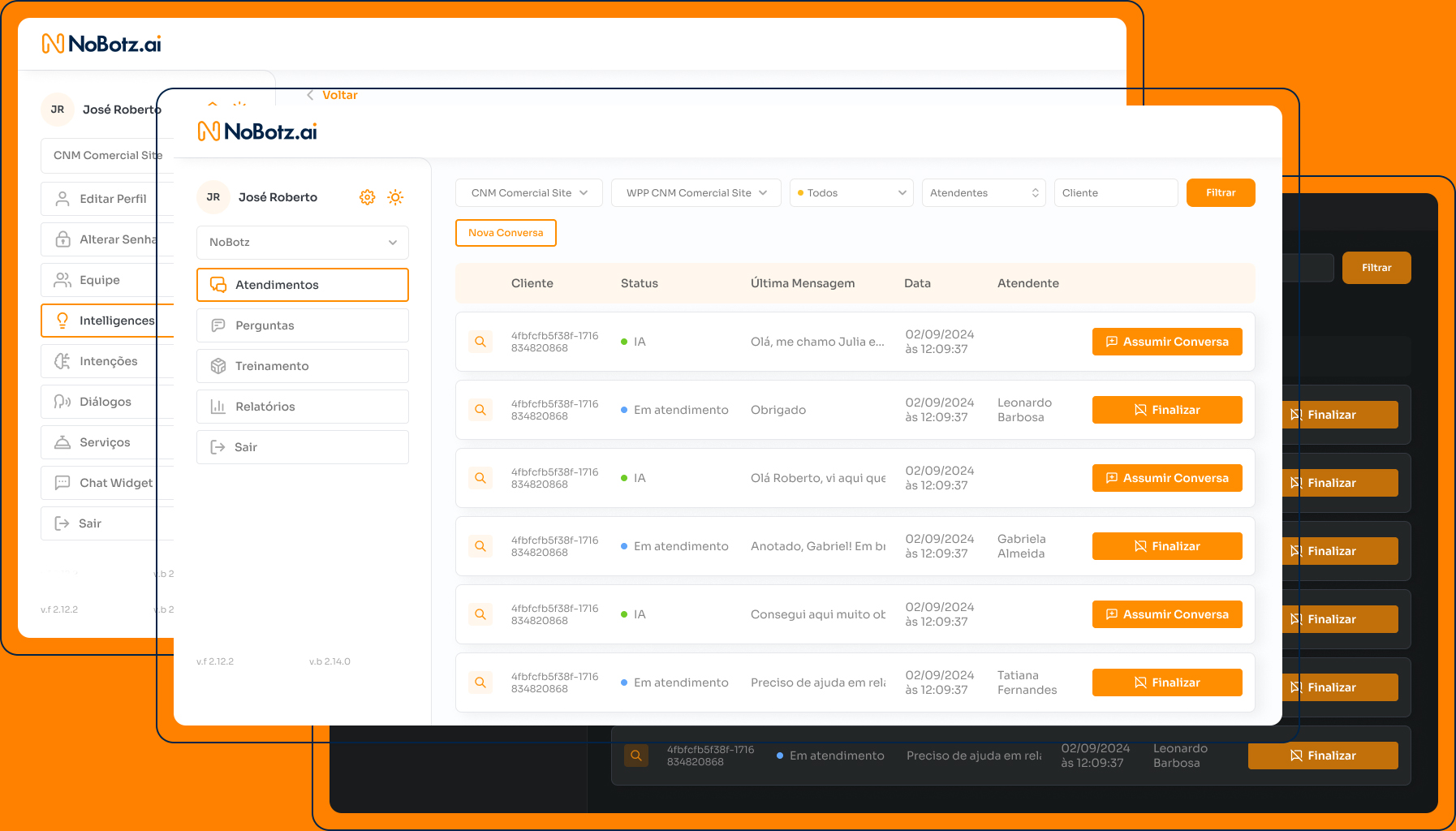
Single action button at the top: the “Take over conversation” button is positioned at the top of the chat screen, always visible regardless of scroll. A single click transfers control: the avatar changes from orange (AI) to the agent’s photo, the status in the list changes from green to blue, and a system note appears in the chat indicating the transfer.
UI –
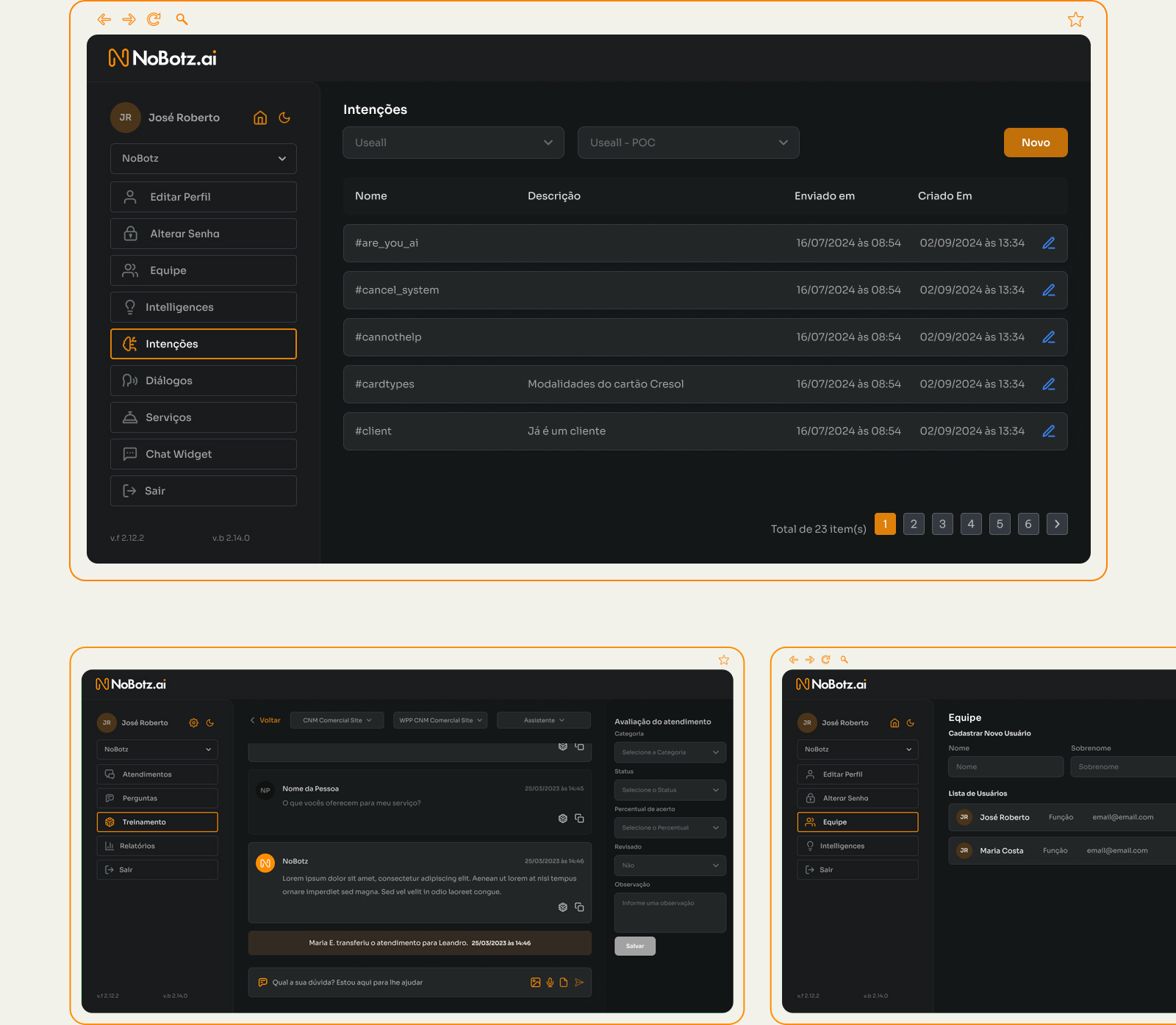
Dark mode is not a preference: support teams monitor conversations in 8–12 hour shifts, including nighttime periods. Light interfaces in dark environments cause documented visual fatigue. All element contrast was implemented according to WCAG AA standards.
Always-visible company selector: for operations managing multiple clients (agencies, BPOs), the company selector is placed in the top bar with the active client name highlighted. Switching clients takes less than 2 seconds and does not require a full reload. The active company is always visible, eliminating errors caused by responding to the wrong client due to lack of session context.
System – Product team trains the AI directly, without involving engineering: the Training module is a WYSIWYG interface for the AI knowledge base. Each entry includes: the question or intent (editable), the AI’s current response (inline editable), the confidence score from the last inference (0–100%), and the number of times it was used in the month.
The product owner edits a response, saves it, and the AI starts using the updated content in the next conversation — no code, no engineering tickets required.
Results
Enterprise platform designed from scratch, grounded in field research. Every design decision has a corresponding observed friction point — documented and justified in the process.
6 modules designed from scratch — Conversations, Questions, Training, Reports, Intelligences, Team.
3 – weeks — field research with real support teams before any wireframes.
2 native themes — light as default, dark as alternative, both with a complete semantic palette.
0 design decisions without research justification — every element addresses a mapped friction point.